Skip to content

Variable Buffers in PostGIS

Some problems in PostGIS are naturally parallelizable. Many problems involving a grid as a base or reference data set fall into this category; when each grid cell is visited and some operation is done there, each grid cell is uniquely referenced in its own set of calculations, and invariant, then it is likely that the problem is naturally parallelizable. If the computation could be done on more than one cell at a time, so much the better.

Search Radii

There are many variations on this problem, and many approaches to solving any given one. Consider the following: a database table representing a regular grid is “loaded” directly with data per cell. The table definition might look like:

create table data_buffers_variable (
    id150 integer PRIMARY KEY, 
    prod_mil_meters double precision,
    wkb_geometry geometry,
    acres_red_total double precision,
    acres_yellow_total double precision,
    qt1 double precision,
    qt2 double precision,
    qt3 double precision
)

 
Each cell will be visited in turn, and reference a number that is a distance prod_mil_meters, which after conversion to units in the current projection, is used as a radius. The calculation is then to collect all cells within the determined radius, and sum three quantities.. qt1_total, qt2_total, qt3_total. Here is a query on a single cell cur_id in a radius of search_radius, and a self-join like so:

SELECT
      b.id150, search_radius, b.wkb_geometry,
  	sum(r.qt1) as qt1_total,
  	sum(r.qt2) as qt2_total,
  	sum(r.qt3) as qt3_total
FROM 
data_buffers_variable b
  INNER JOIN data_buffers_variable r
  ON ST_DWithin(b.wkb_geometry,r.wkb_geometry, search_radius)  AND
  b.id150 = cur_id
  
GROUP BY b.id150, b.wkb_geometry


Many Hands Make Light Work

We might define a function call in PostgreSQL as follows:

CREATE OR REPLACE FUNCTION get_buffered_vals_out(
  in_id_grid int, 
  in_distance float,
  in_geom geometry,
  OUT id_grid int, 
  OUT search_distance float,
  OUT wkb_geometry geometry,
  OUT qt1_total float,
  OUT qt2_total float,
  OUT qt3_total float
  ) 
AS 
$$
  select $1 as id_grid, 
  $2 as search_distance,
  $3 as wkb_geometry, 
  	sum(r.qt1) as qt1_total,
  	sum(r.qt2) as qt2_total,
  	sum(r.qt3) as qt3_total
  FROM data_buffers_variable r WHERE st_dwithin( $3, r.wkb_geometry, $2);
$$ 
COST 10000
language SQL STABLE strict;

 
Now to run this in a parallel fashion. As is detailed in this post, do the following in python: decide on a number of threads to execute, divide the work into buckets with an upper and lower id_grid as bounds, define the basic unit of work as a threading.Thread subclass, and pass a parameter dict into a thread_queue for each thread. Each threaded unit of work will visit each cell within its bounds, call get_buffered_vals_out() and store the results.

note: although it looks more impressive, double precision is in fact a synonym for float in postgres

The syntax for INSERTing the result of a function call like that into another table in one statement can be rather challenging. Here is some useful starter syntax:

select (f).* from (
    select get_buffered_vals_out( ogc_fid, dist, wkb_geometry) as f
    from data_buffers_variable 
    where ogc_fid >= 1656690 and ogc_fid < = 1656690
    offset 0) s;

Why the offset 0 ?!? Its is supposedly a no-op, yet in one test, the runtime is 6x faster with it than without it. More answers yield more questions…

addendum-

whunt	how do you reference a value from the select clause in your where clause?
RhodiumToad	whunt: you don't
whunt	as in: SELECT my_func(bar) as baz from foo where baz is not null;
RhodiumToad	whunt: not allowed per spec, though you can add another nesting level
whunt	i could do it with a with
RhodiumToad	whunt: select * from (select myfunc(...) as baz from ...) s where baz is not null;
RhodiumToad	whunt: note, that'll often call the function twice; to prevent that, add offset 0 just before the )
RhodiumToad	whunt: i.e. select * from (select ... offset 0) s where ...
xocolatl	RhodiumToad: the offset 0 trick is something I think needs improvement we shouldn't have to do that
RhodiumToad	I agree
RhodiumToad	but it's not at all trivial
xocolatl	oh, I don't doubt
whunt	why does the function get run twice?
RhodiumToad	whunt: because the planner will flatten out the subselect in most cases, so it's equivalent to doing
whunt	i imagine the inner query executes the function and creates a new table that the outter query queries
whunt	oh
RhodiumToad	select myfunc(...) from ... where myfunc(...) is not null;
whunt	lol - that's exactly what i wanted to avoid
xocolatl	whunt: then use the offset 0 trick
RhodiumToad	the offset 0 is a general technique to nobble the planner and stop it from flattening subqueries
PostGIS subtraction

Threading in python and calling out to PostGIS in each thread can work well. Here is an example of using python’s Queue and threading.Thread to break up a large spatial workload into pieces. It turns out that many spatial data problems are naturally parallelizable, and this is one of them.

Per the PostGIS manual, subtraction of one geometry from another, ST_Difference( geomA, geomB) might be described as

GeometryA - ST_Intersection(A,B)


A table of geometries can be processed easily if either geomA or geomB is a constant. But what if there are many thousands of geomA, and hundreds of thousands of geomB? Our example is land type classifications (geomA) and California county land parcels (geomB).

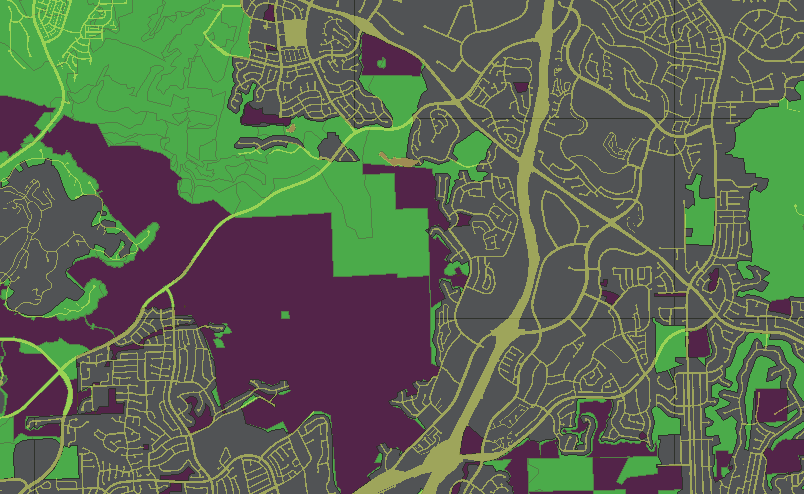
Here is a look at a finished result:

Areas that are colored either green, dark red or gray, are the sum of the area of parcel property in this county, classified into three categories (greenfield, constrained, urban). The remaining yellowish are largely right-of-way (roads, paths, freeways etc). The analysis is done by bringing together two very large input tables – a land classification of the county divided into three classes (14,000 polygons in this example), and the set of parcel properties (~800,000 records).

Start by subtracting all parcels p that touch a given classification polygon l as inner diff

INSERT into landtypes_minus_parcels
SELECT
      l.id_lt,
      l.landtype as landtype_seamless_orig,
      l.other_class,
      CASE when
        st_difference(  l.wkb_geometry,
               st_union(p.wkb_geometry)  )
        is null then l.wkb_geometry
      else
        st_difference(  l.wkb_geometry,
               st_union(p.wkb_geometry)  )
      end
       as tgeom
FROM
   %s l
   inner join
   %s p
   on st_intersects(l.wkb_geometry, p.wkb_geometry)
WHERE l.id_lt = %s
GROUP BY l.id_lt, l.wkb_geometry;

Get a list of primary keys in python from the classification table l

tSQL = '''
select id_lt from %s order by id_lt;
''' % (targ_landtypes)

try:
    gCurs.execute( tSQL )
    gDB.commit()
except Exception, E:
    print str(E)
    raise

idsA  = []
idsTA = gCurs.fetchall()
for tElem in idsTA: idsA.append( tElem[0] )

A psycopg2 query cursor returns an array of tuple – for convenience take the one and only one result per tuple and build a simple list from them. In this analysis, we take the length of the list of primary keys of classification polygons, divide by the desired number of threads, to get a number of classification polygons that will be handled per thread. Since we have an ordered list of primary keys, it is straightforward to pick two keys at a time – upper and lower pkey – and pass them into each thread as dictionary arguments.

tBaseDiv = len( idsA ) / gThreadCount
tBaseOffset = 0
for i in range( gThreadCount ):
    if i == gThreadCount - 1:
       ## last bucket gets any remainder, too
       tEndInd = len( idsA ) - 1
    else:
       tEndInd = tBaseOffset + tBaseDiv - 1

    tD = {
      'start_id': idsA[ tBaseOffset ],
      'end_id': idsA[ tEndInd ]
    }

    tBaseOffset += tBaseDiv
    queue.put( tD )

Next, a unit of work has to be described; a threading.Thread subclass could be defined as follows: upon running, retrieve a parameter Dict from the threads queue, and from it the upper and lower primary key bounds for this thread; for each primary key in this range, execute the inner diff query; when completed, commit() to the database and signal that this thread is complete.

class Thread_ComputeCTWUnit(threading.Thread):
    """Threaded Unit of work"""
    def __init__(self, queue):
      threading.Thread.__init__(self)
      self.queue = queue

    def run(self):
      while True:
        #grabs host from queue
        jobD = self.queue.get()

        tQueuedJobStr = '''
  select id_lt from %s where id_lt >= %s and id_lt < = %s
''' % ( targ_landtypes, jobD['start_id'], jobD['end_id'] )

        #tTmpAnswer = tLocalCurs.fetchone()[0]
        #print 'start_id=',jobD['start_id'],'; end_id=',jobD['end_id'],'; count=',str(tTmpAnswer)

        ##---------------------------
        ## each thread has its own pyscopg2 connection
        try:
          tLocalConn = psycopg2.connect( gDSN )
        except Exception, E:
          print str(E),' start_id=',jobD['start_id']
          self.queue.task_done()
          return

        tLocalCurs = tLocalConn.cursor()
        try:
          tLocalCurs.execute( tQueuedJobStr )
        except Exception, E:
          print str(E)

        tTA_local = tLocalCurs.fetchall()
        for tInd in tTA_local:
            try:
                tLocalCurs.execute( tSQL_primediff % (targ_landtypes,src_parcels,tInd[0]) )
                #tLocalConn.commit()
            except Exception, E:
                print str(E)
                raise

        tLocalConn.commit()
        tLocalConn.close()
        ##---------------------------
        #signals to queue job is done
        self.queue.task_done()
        return

Given 14,000 classified polygons as input, parcel records for a county, running on a 16 core linux machine, and creating 14 threads, each thread will run 1000 queries then commit() back to the database. The runtime in practice is about 15%-30% of the time it would take without threading. One reason for this is that even though each thread has the same number of classification polygons to work on, not all polygon subtractions are created equal, so inevitably some sets of queries take longer than others.

KNN GIST Index in Postgresql

With version 9.1 of PostgreSQL and above, the KNN GIST Index is available.

There are two new operators defined:  <-> and <#> 

With version 2.0 of PostGIS and above, the KNN GIST Index functionality is exposed for PostGIS geometry types.

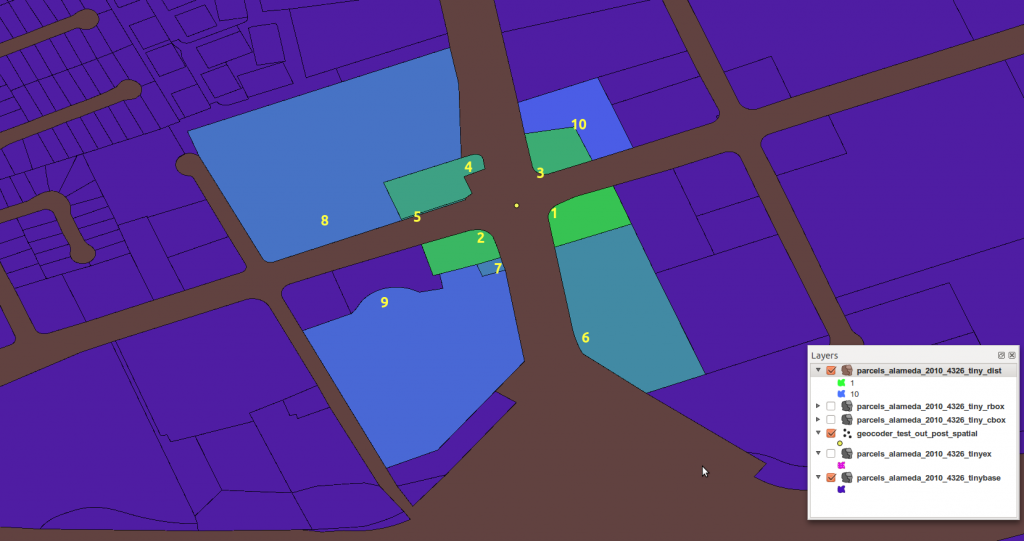
<-> - Returns the distance between two points. For point / point checks it uses floating point accuracy (as opposed to the double precision accuracy of the underlying point geometry). For other geometry types the distance between the floating point bounding box centroids is returned. Useful for doing distance ordering and nearest neighbor limits using KNN gist functionality.

<#> - Returns the distance between bounding box of 2 geometries. For point / point checks it's almost the same as distance (though may be different since the bounding box is at floating point accuracy and geometries are double precision). Useful for doing distance ordering and nearest neighbor limits using KNN gist functionality.

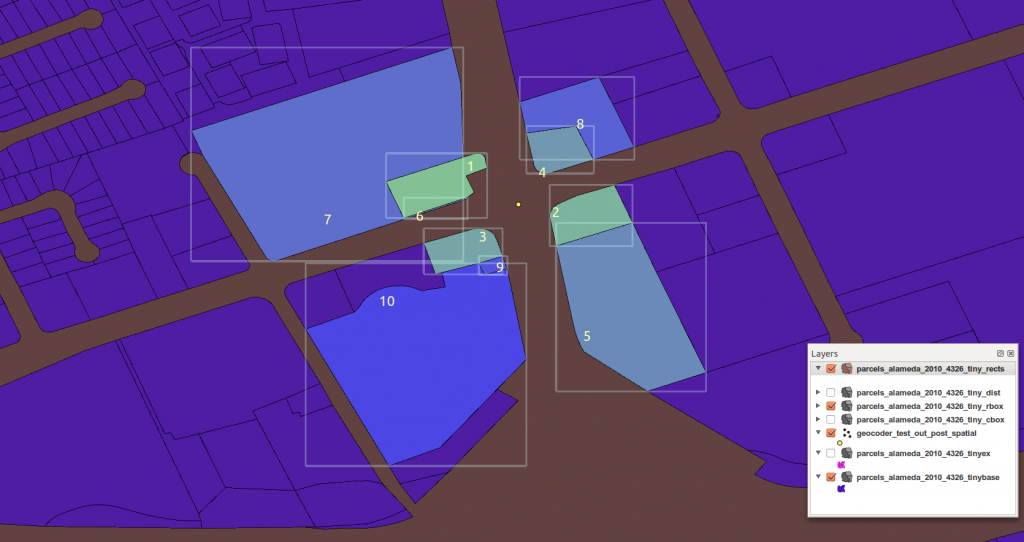
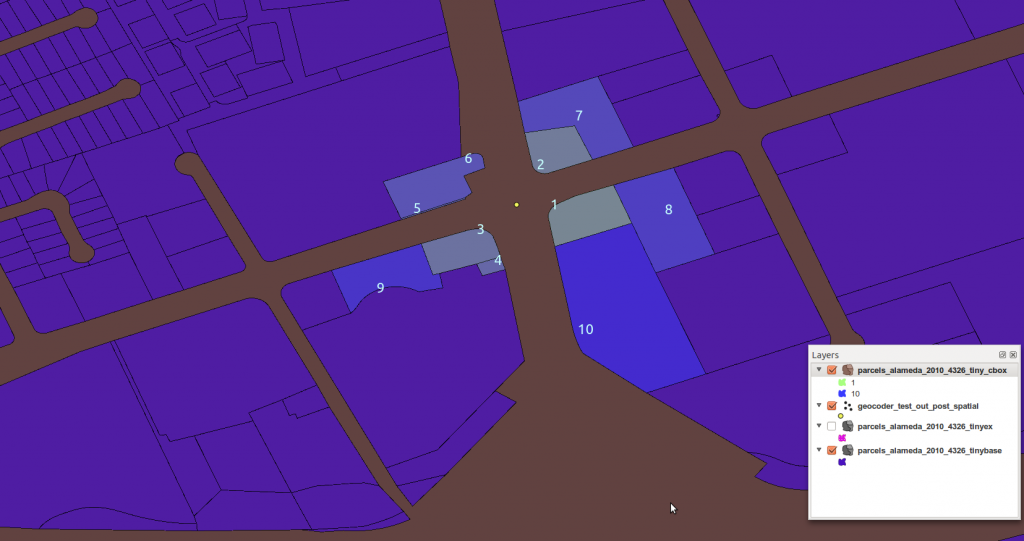
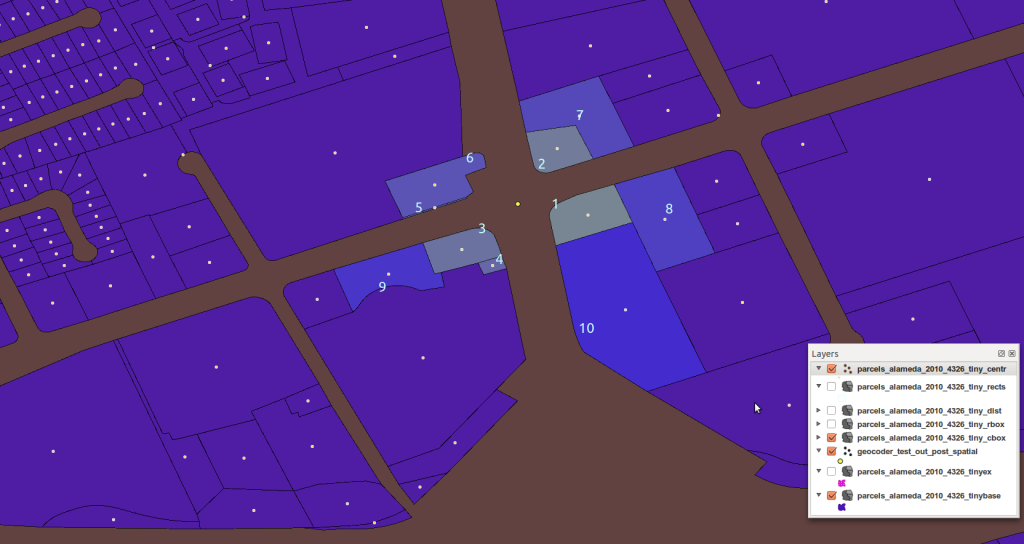
Let’s look at how they operators affect search results in a real-world example – proximity of parcels from a point on the street. Note that one of the geometries in this example is a very thin polygon just inside of a larger one against the street.
This first example shows bounding box ordered distance <#>


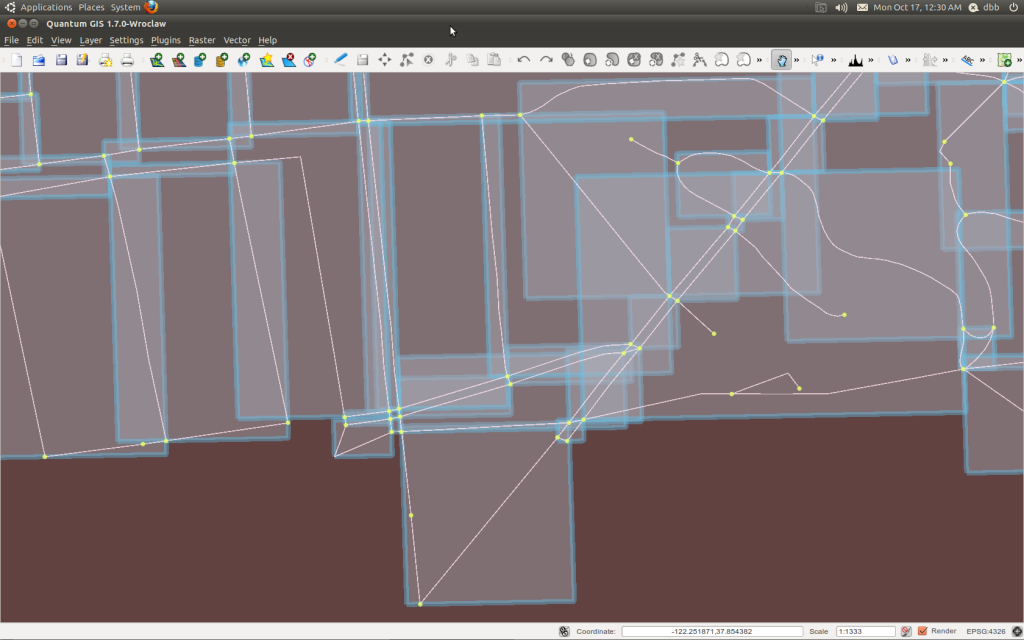
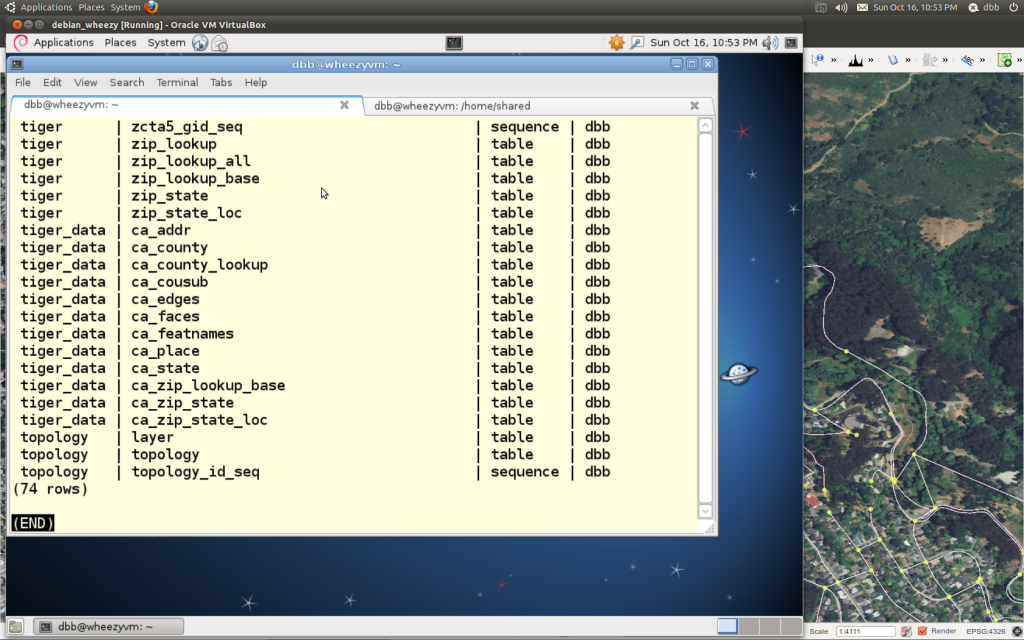
PostGIS Topology of Berkeley Streets

list schemas the low level way

pg_logo

SELECT 
 n.nspname AS "Name",  
 pg_catalog.pg_get_userbyid(n.nspowner) AS "Owner"
FROM 
 pg_catalog.pg_namespace n
WHERE 
 n.nspname !~ '^pg_' AND n.nspname <> 'information_schema'
ORDER BY 1;

One More Graph, SQL to R


import psycopg2
conn = psycopg2.connect( "dbname=example_db" )
curs = conn.cursor()

tSQL = '''
select emp_gden_min, res_units_gden_min, emp_gden_max, res_units_gden_max
from p_translation_table;
'''
curs.execute( tSQL )
resT = curs.fetchall()

from rpy2.robjects.packages import importr
grdevices = importr( 'grDevices' )
grdevices.pdf(file='/home/shared/aab.pdf')

r_plot_str = '''
plot(c(0,1000),c(0,2000),type="n",log="xy",xlim=c(0.1,1000),ylim=c(0.1,2000), xlab="employment", ylab="residence")
'''
rpy2.robjects.r( r_plot_str )

tC = 0
for n in resT:
  tStr2 = "rect( %s,%s,%s,%s, density=10, col=rgb(%s,%s,%s) )" \
    % (n[0],n[1],n[2],n[3], tC,tC,tC)
  rpy2.robjects.r( tStr2 )
  tC += 1.0/len(resT)

grdevices.dev_off()

Killing a Pg Query on Linux

pg_logo

kill => linux utility to send a signal to a process
pid => a process ID

Using the linux kill utility, a user with sufficient privileges could
terminate a running Postgres query specified by process ID (pid). This is a bad idea though, because it will cause PostgreSQL to panic. It is useful to know the pid of the query, as we shall see below. To find the pid of a query, execute the following:

## PG10 Syntax
SELECT datname,usename,pid,client_addr,wait_event,query_start,query
FROM pg_stat_activity ;

or simply

SELECT pg_backend_pid() ;

With the pid, a user might try a termination signal first (bad idea):

kill -SIGTERM pid
kill -15 pid

Or a SIGKILL signal could be issued (also a bad idea). The Linux scheduler executes the command, the process is never notified. There are three equivalent forms :

kill -SIGKILL pid
kill -KILL pid
kill -9 pid

PostgreSQL provides ways to stop a running query (good idea).

pg_terminate_backend(pid int) boolean Terminate a backend
pg_cancel_backend(pid int) boolean Cancel a backend's current query

Lastly, the Postgres utility pg_ctl can issue the SIGKILL signal, and is available on non-Linux platforms.

see

http://www.postgresonline.com/journal/archives/134-Terminating-Annoying-Back-Ends.html

http://www.postgresql.org/docs/9.1/static/functions-admin.html

http://www.postgresql.org/docs/9.1/static/app-pg-ctl.html

Postgres 9.2 release notes:
* Allow non-superusers to use pg_cancel_backend() and pg_terminate_backend() on other sessions belonging to the same user (Magnus Hagander, Josh Kupershmidt, Dan Farina) Previously only superusers were allowed to use these functions.

Peter Eisentraut writes:
  “You shouldn’t run pg_ctl directly under Ubuntu/Debian. Use pg_ctlcluster instead, which is installed by postgresql-common. See its man page for documentation.”
example:  sudo pg_ctlcluster 10 main stop --mode immediate
alt:  sudo systemctl stop postgresql@10-main

postscript from IRC chat

peerce pg_ctl kill TERM sends things a SIGTERM, they have to be listening for it to exit .. SIGKILL, now that will kill it, but thats usually very bad for postgres as it causes immediate exit without any cleanup.

RhodiumToad use pg_cancel_backend (which sends SIGINT, not SIGTERM) and pg_terminate_backend (which does send SIGTERM) exclusively. if you find something that doesn’t die in the face of either of those, the next stop is pg_ctl restart -mimmediate. do not ever send SIGKILL to postgres processes. (if you do kill a backend with -KILL, then pg will do a panic restart, and if you mess up and kill the postmaster with -KILL, you end up with a serious mess)

dbb if you send a kill signal to a query it will certainly panic postgresql ?
RhodiumToad yes

RhodiumToad because pg then has no way to know what the dead process was doing with shared memory, so the only option is to SIGKILL every other process, throw the shared memory segment away, and restart with a new one, which requires doing a recovery from WAL. pg_ctl stop -mimmediate or restart -mimmediate also does the recovery from WAL, but in a slightly more controlled fashion, for a query not to die from pg_terminate_backend after a reasonably short time interval is a bug, though (last one I saw was due to index corruption making vacuum go round in circles) pg_cancel_backend will likewise kill any query that isn’t actually catching a query_canceled exception

Pg Jobs Active

pg_logo

I keep this one line as .sql in my home directory of all the work machines:

## PG10 Syntax
SELECT datname,usename,pid,client_addr,wait_event,query_start,query
FROM pg_stat_activity ;

checking what is going on is easy

psql -f short_queries_list.sql

per the manual

http://www.postgresql.org/docs/current/static/monitoring-stats.html

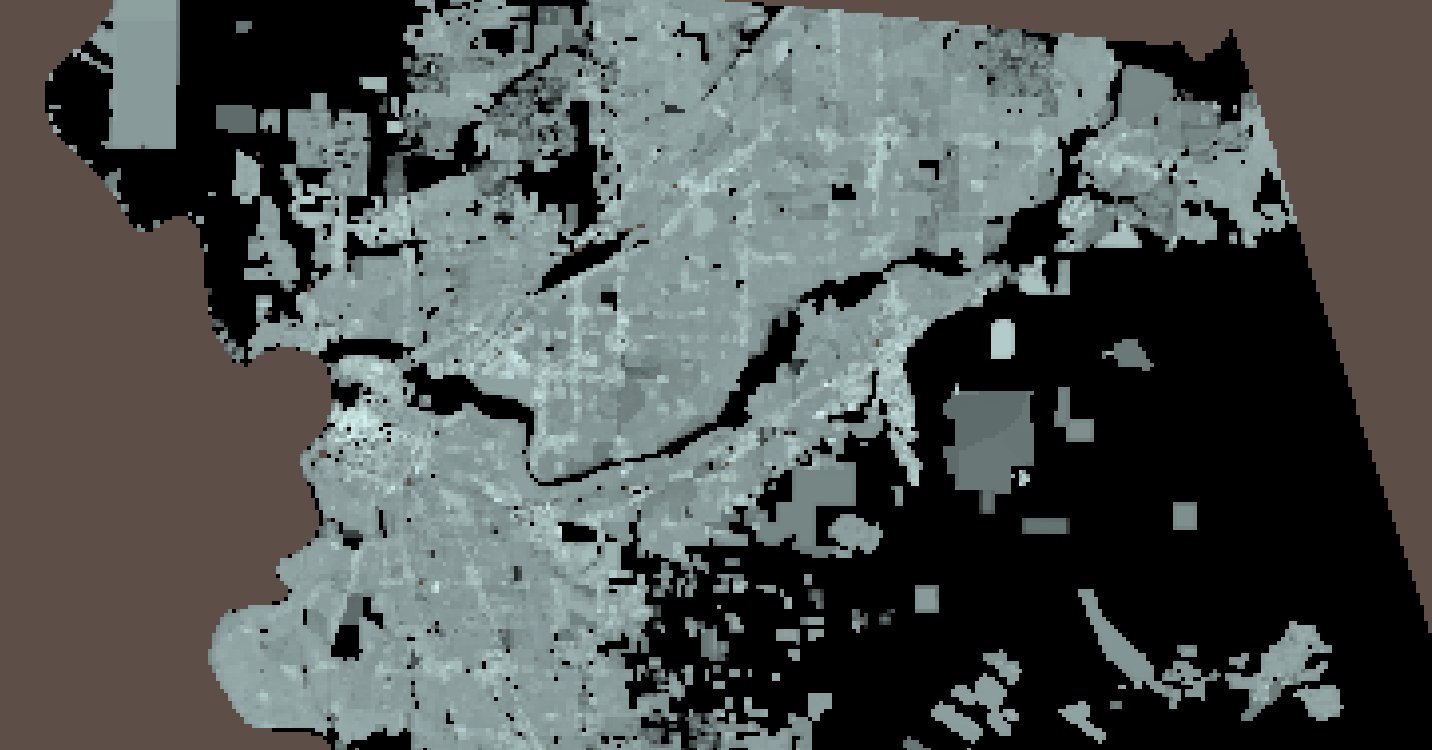
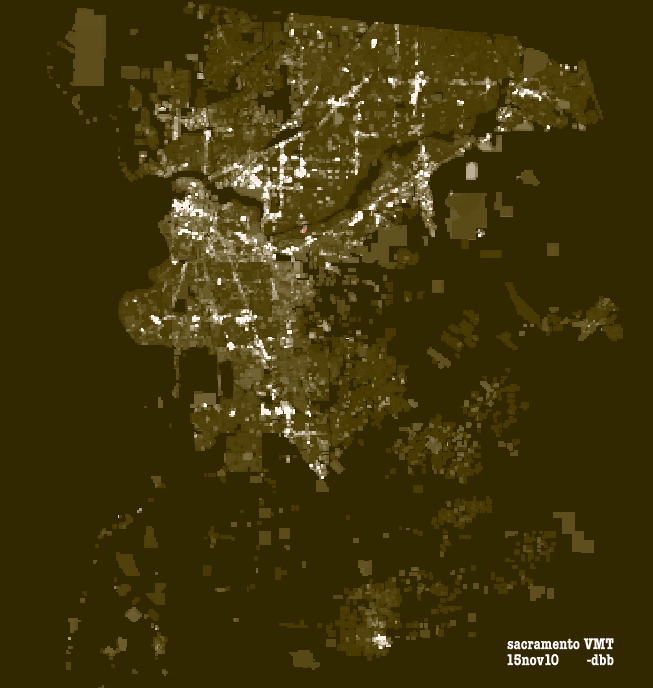
Sacramento Vehicle Miles Travelled

early visualizations of a model written in Python and PostGIS, in 2011 at Calthorpe Associates, Berkeley.

 
Lens on Daily Transportation Patterns
Sacramento, California 

VMT_sac_15nov10

Zoned, Urban, Highways and Parks Bay Area

zones_residential_ba0